Did you know that the provisional driving license is required to register for driving school practice, the definitive driving license registration, and even on exam day?
Now that you have passed your provisional driving license exam, you might have planned to acquire your definitive driving license by the end of this year.
I know you're wondering what to do next. Apply for your e-Provisional Driving License on Irembo and get it instantly!
What is an e-Provisional Driving License (e-PDL)?
This is a provisional driving license that is issued by the Rwanda National Police through IremboGov. It means you don’t need to travel to any office to get the license, and instead, you can download it instantly from the IremboGov platform as soon as the application has been paid for.
Who is eligible for this service?
A Rwandan citizen who has passed the provisional driving license test. To learn about how to check your results, click here.
Pass Mark for the Provisional Driving License:
A score of 60% or above for candidates who took the exam at the Busanza Automated Test Center
A score of 12 and above out of 20 for the rest of the exam center.
How to apply for an e-Provisional Driving License?
It's very simple!!! Choose one of the following channels:
Irembo website: www.irembo.gov.rw
USSD code: *909#
What You Need Before You Start Applying
Here is all you need:
A national ID or A valid registration code is provided in the notification received from Irembo during your registration for the provisional driving license exam.
A valid mobile phone number or email (optional) to receive updates and track your application
You must apply within 2 years of passing your provisional driving license exam.
Here is a step-by-step on how you can easily apply and get your e-provisional driving license.
Option 1: When applying Via the IremboGov website
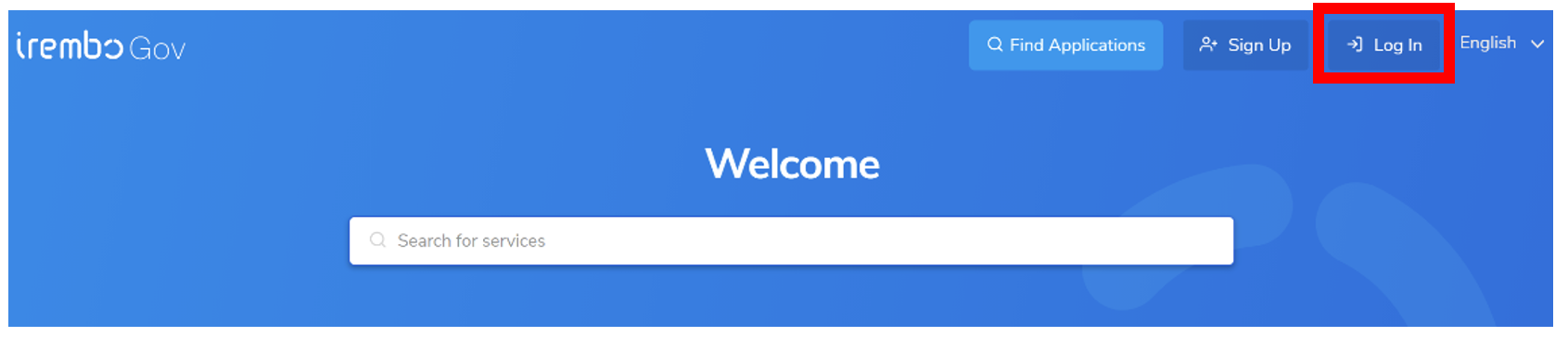
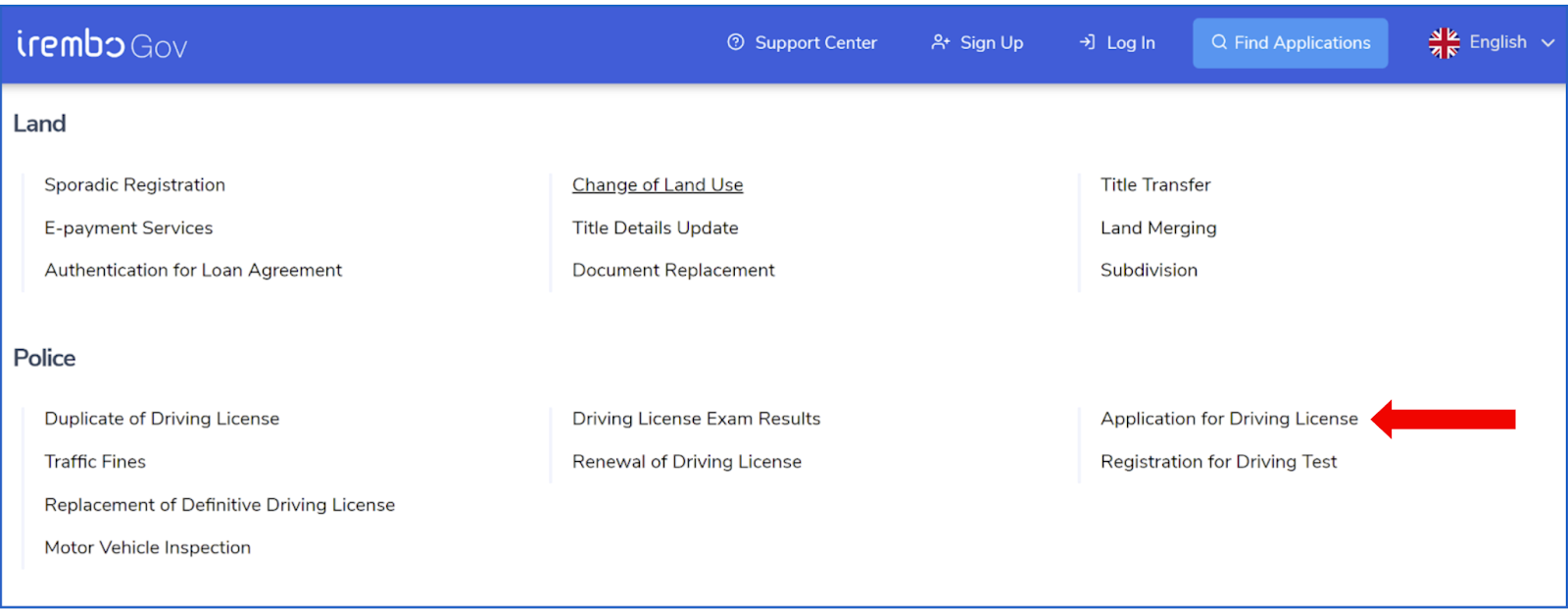
Log in to your Irembo account: www.irembo.gov.rw and under Police, click on Application for Driving License.
You don’t have an Irembo account? Don’t worry! Learn how to create it by clicking here.
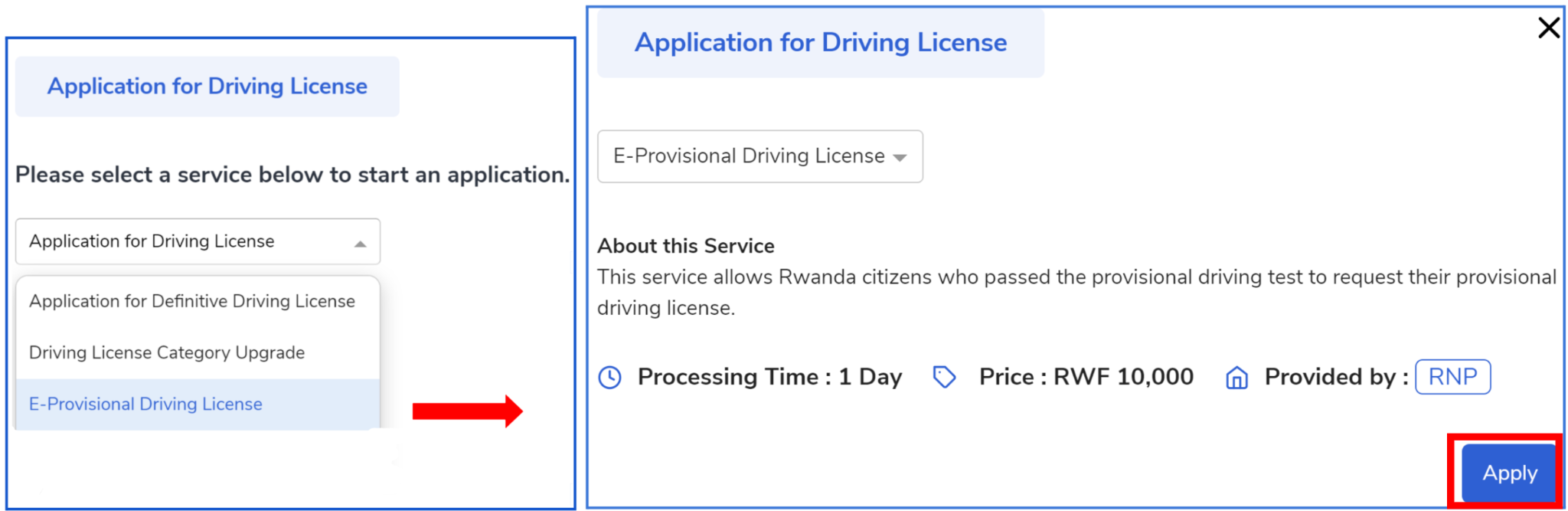
Select “Application for Provisional Driving License.”
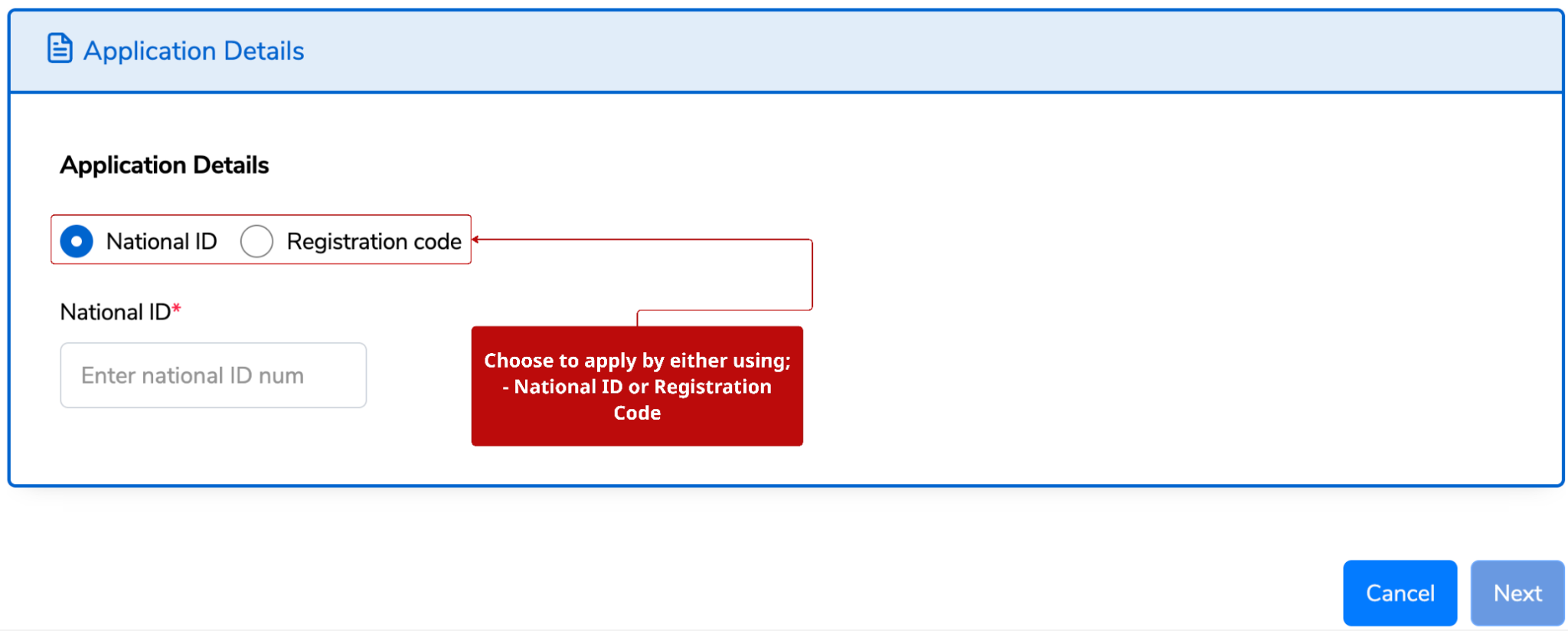
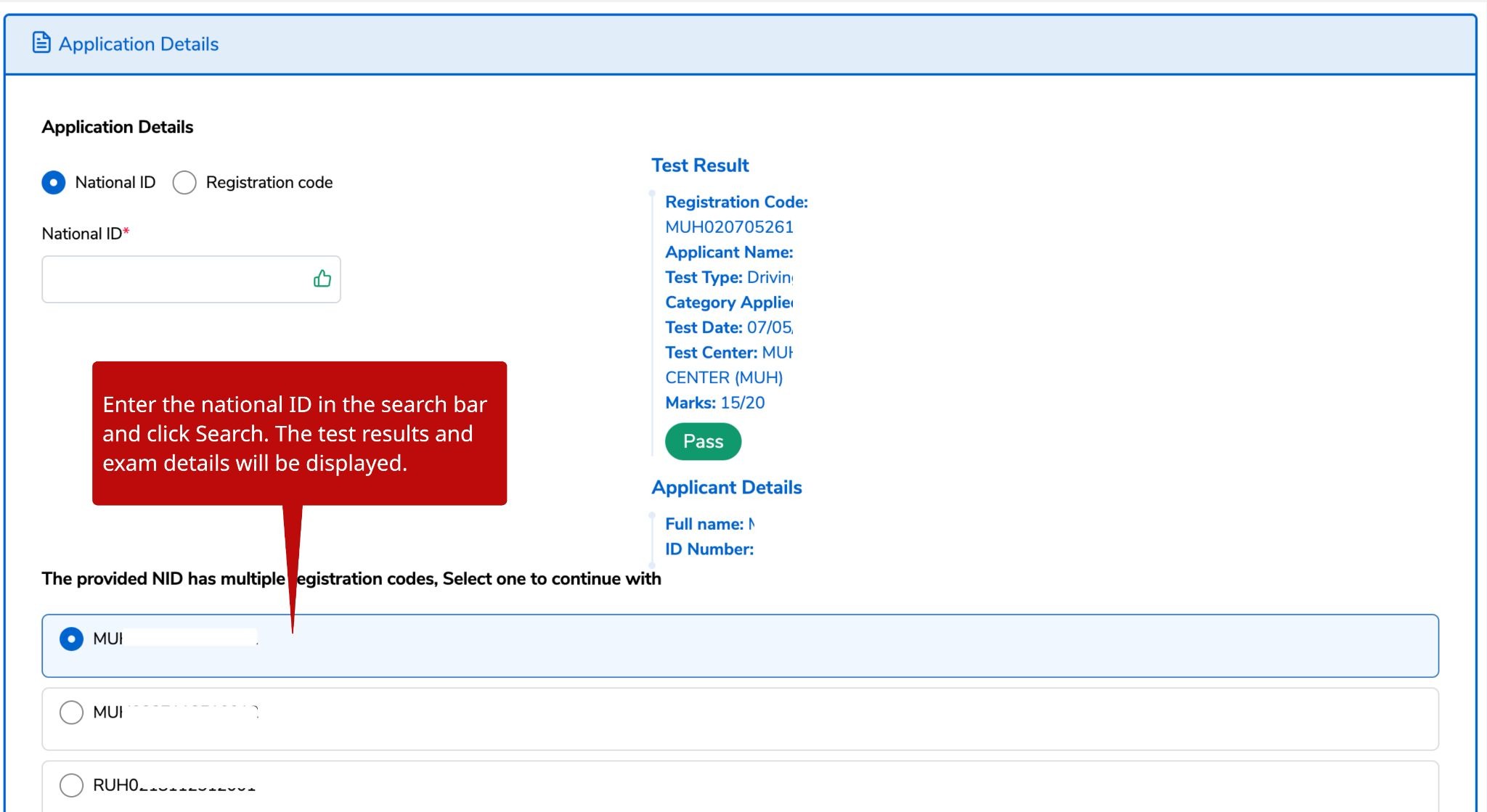
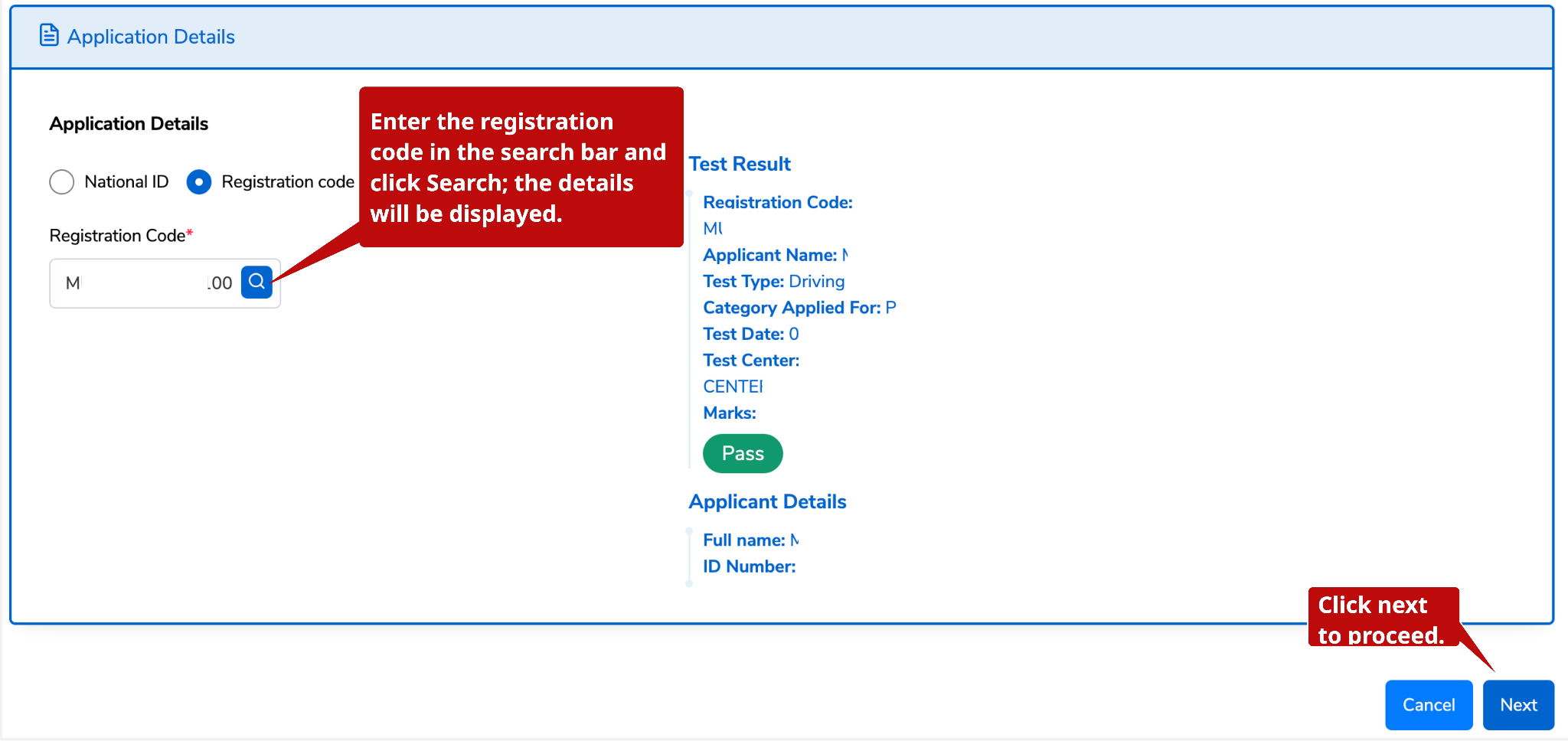
Choose between using the National ID number or registration code. The applicant's information is displayed. Click Next to proceed.
Scenario 1: If you use a National ID, a list of registration codes associated with it will be displayed (in case you have more than one registration code), starting with the most recent one. Select the valid one.
Scenario 2: If you choose to use a registration code, the details associated with that specific registration code will be displayed.
Verify that the information is true, enter a phone number and/or email address, check the verification box, and click Submit.
Note: Don’t miss out on the notification; add your phone number.
A billing number/ID (88…) will be generated for payment. Click Pay
Applicants choose the mode of payment: offline or online. For more information about payment modes, click here.
Option 2: When applying via USSD.
Note: Select whether you are applying for a provisional license or a driving license.
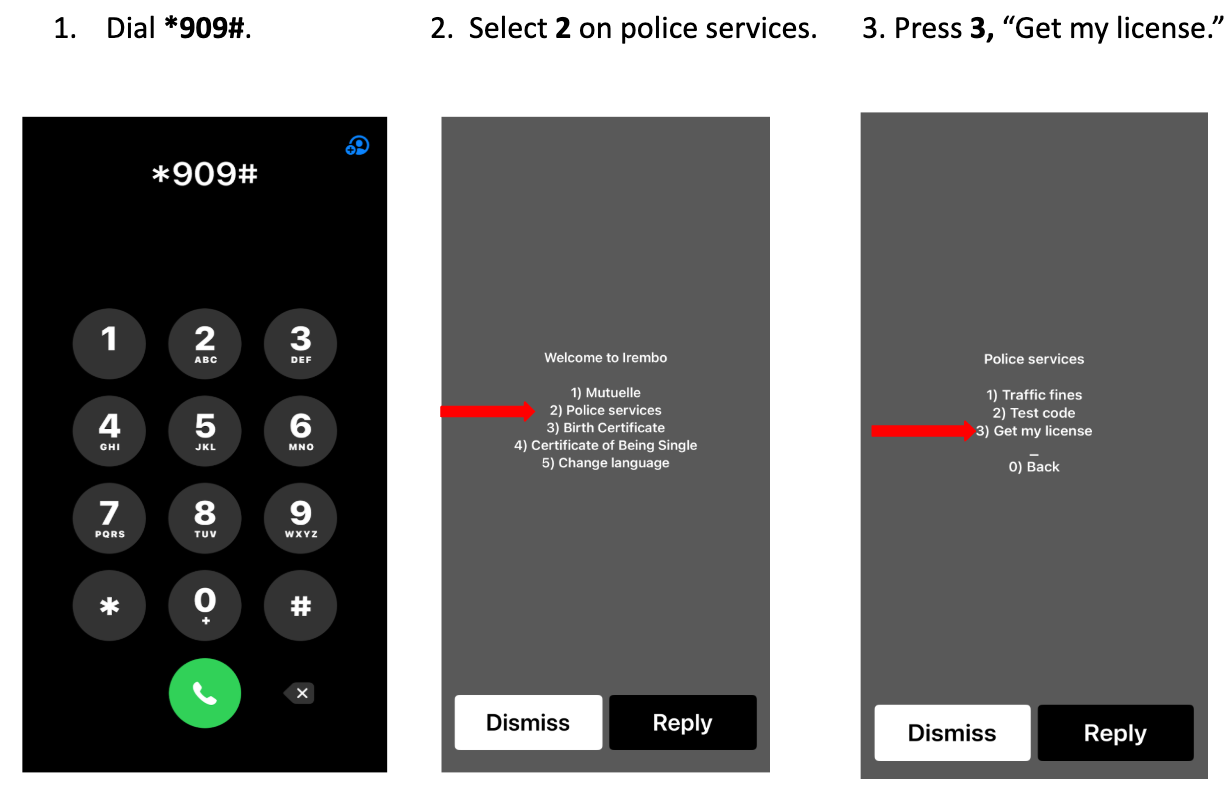
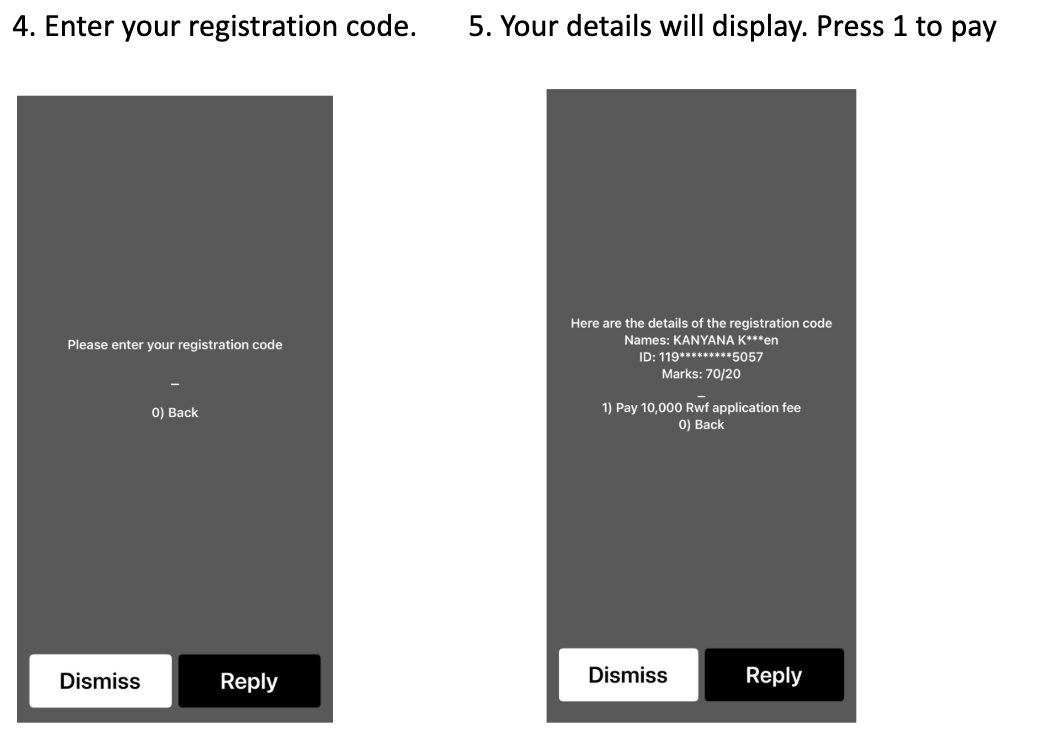
F) What to expect after submitting your e-PDL application through the web or USSD
Good news!!!!!
After applying and successfully paying, your e-Provisional Driving License is ready and saved in your profile if you have an account on IremboGov; however, you can still download it instantly
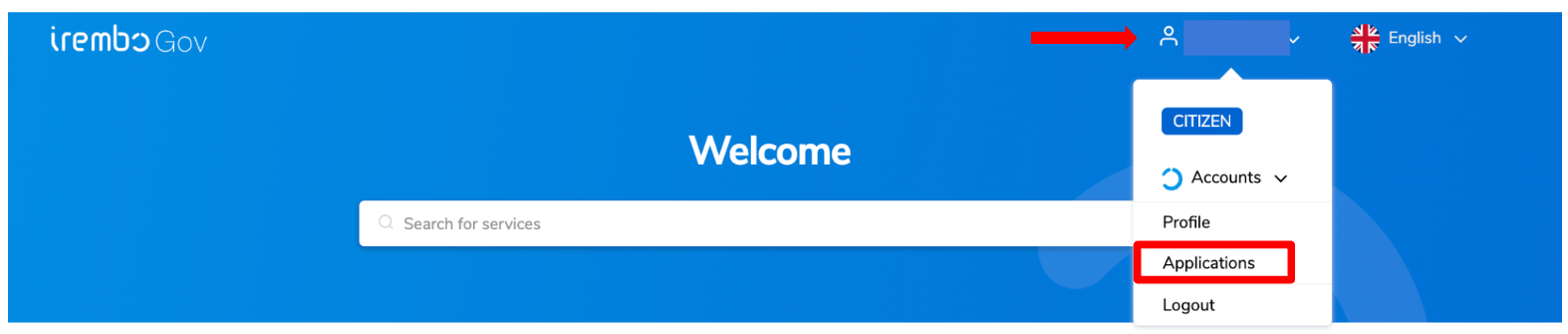
Step 1: Visit the Irembo platform at www.irembo.gov.rw, log into your account, and click on the profile icon featuring your name. A pop-up window will appear; within it, select "Applications."
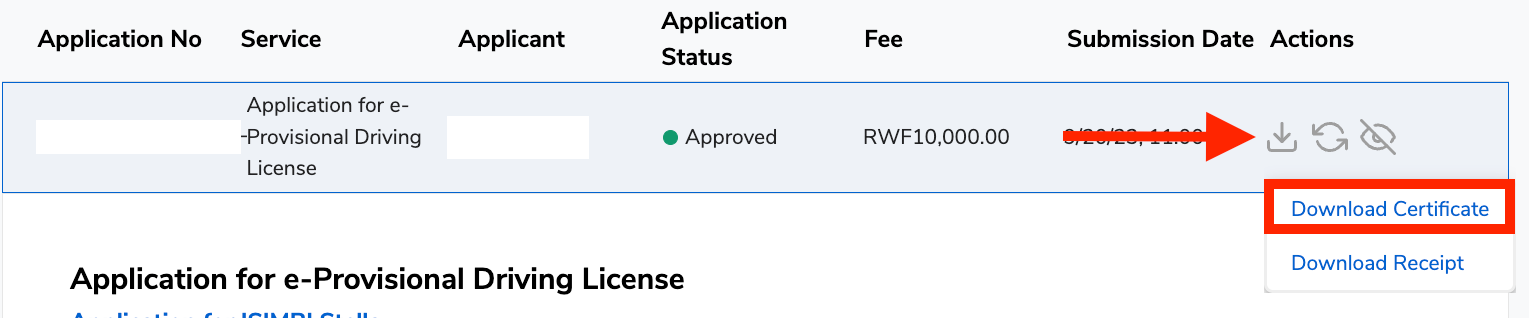
Step 2: You will find your application under the list of applications you have applied for previously.
Step 3: If you wish to download your application, click on the download icon and select “Download certificate.”
If the applicant also chooses to receive notifications through their email address, the e-provisional will be sent to that address.
Ready to apply? Click here and submit your application instantly.